Text-Only
- Format
- Static
- Category
- Styles & Treatments
- Stage
- Any
- Requires
- Prompt only
What is it
A static ad with no photo, product shot, or model, just typed copy on a solid or gradient background. In a feed full of reels, jump cuts, and busy lifestyle shots, a flat block of text gives the eye nothing to decode, so the only thing left to do is read. It reads like a quote post someone shared, and the words get read before the viewer realizes it's an ad.
What makes it work
Write the hook before you design anything
One line: a claim, a question, or a before-and-after. The hook does almost all the work. If it wouldn't stop you in your own feed, no font will save it.
Use hard contrast
White on deep blue, black on cream, white on a strong gradient. The contrast is what catches the eye before anyone decides to stop. Blur the ad: if the hook still reads, it works.
Match the type to the emotion
A quiet serif on a soft gradient sells taste and gifting. A bold sans on bright blue reads like a shared how-to post. Handwriting with marker circles reads like a personal note. The type choice sets the tone before a word is read.
Add one layer of support
Stats, a sentence built from colored highlight buttons, or a checklist, but only one. Add a photo or a third layer and you've left the format and lost the effect.
Remove every decoration
No stock icons, no drop shadows, no product in the corner. The emptiness is what makes it work, so protect it.
Be able to back up every number
There's no image to hide behind, so every claim is fully exposed and easy to review. General benefit language is safe; specific results like "9 → 61 ads" need a documented source under Meta policy and DACH advertising law.
Reference 1
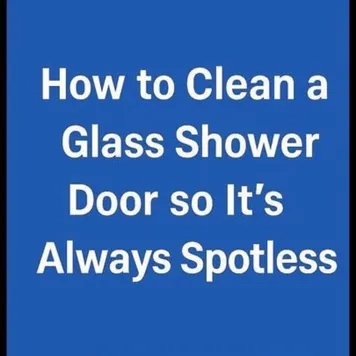
AI Edit Master Prompt
Using the attached image as the layout reference: keep the solid bright blue background with a large, bold white sans-serif headline centred across four stacked lines, and nothing else on the canvas. Replace the blue with {YOUR CONTRAST COLOR}. Set the headline to "{THE HOW-TO HOOK}".Reference 2
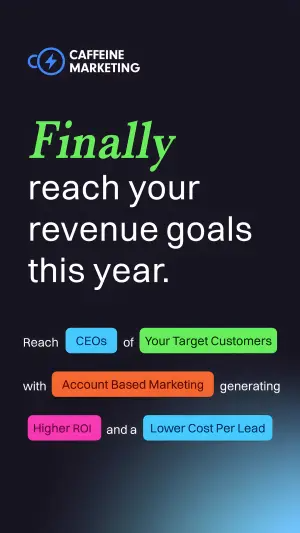
AI Edit Master Prompt
Using the attached image as the layout reference: keep the dark, almost black background with a soft blue glow in the bottom right corner, a small logo with a two-line brand name in the top left, a large left-aligned headline with the first word in bright green italics and the rest in white, and a centred sentence below built from white words with five colorful rounded highlight buttons (blue, green, orange, pink, light blue) holding the key terms. Replace the logo with {YOUR LOGO}. Set the headline to "{FINALLY} {THE OUTCOME}", the connecting words to "{THE SENTENCE}", and the five buttons to "{FIVE VALUE PROPS}".Reference 3
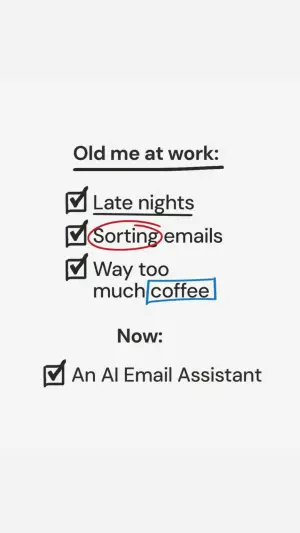
AI Edit Master Prompt
Using the attached image as the layout reference: keep the solid off-white background and casual handwritten black lettering, a heading with a thick hand-drawn underline, a checklist of three items each starting with a hand-drawn ticked box, with one word underlined, one word circled in red marker and one word boxed in blue marker, a standalone subheading below, and a single ticked box with one line of text beneath it. Set the heading to "{THE OLD SITUATION}", the three items to "{THREE PAIN POINTS}", the marked words to "{THE WORDS TO EMPHASISE}", the subheading to "{NOW}", and the final item to "{YOUR PRODUCT}".Reference 4
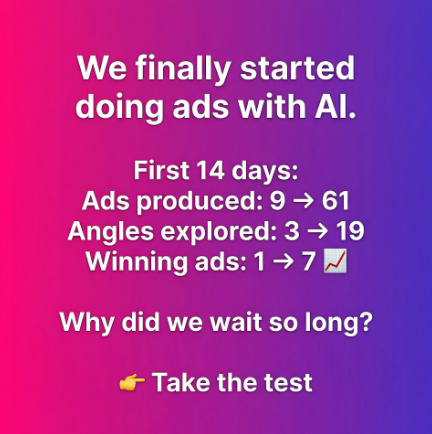
AI Edit Master Prompt
Using the attached image as the layout reference: keep the vibrant pink-to-purple diagonal gradient background and centred bold white text throughout: a two-line headline at the top, a short label line followed by three stat lines each showing a before-and-after number with an arrow and the last ending in a rising-chart emoji, a question line below, and a closing line starting with a pointing-finger emoji. Set the headline to "{THE CHANGE WE MADE}", the label to "{THE TIMEFRAME}", the stats to "{THREE REAL BEFORE → AFTER NUMBERS}", the question to "{THE REGRET QUESTION}", and the closing line to "{CTA}".
(Only use numbers you can document.)
Reference 5
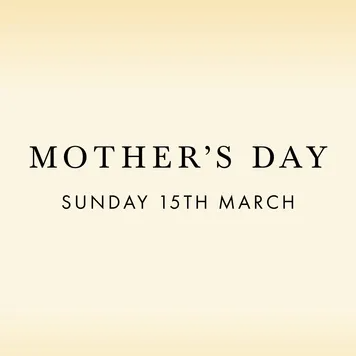
AI Edit Master Prompt
Using the attached image as the layout reference: keep the smooth cream-to-light-gold vertical gradient background, a large elegant black serif line in caps centred on the canvas, a smaller spaced-out sans-serif caps line beneath it, and no other elements. Set the main line to "{THE OCCASION}" and the line beneath to "{THE DATE OR DETAIL}".Reference 6
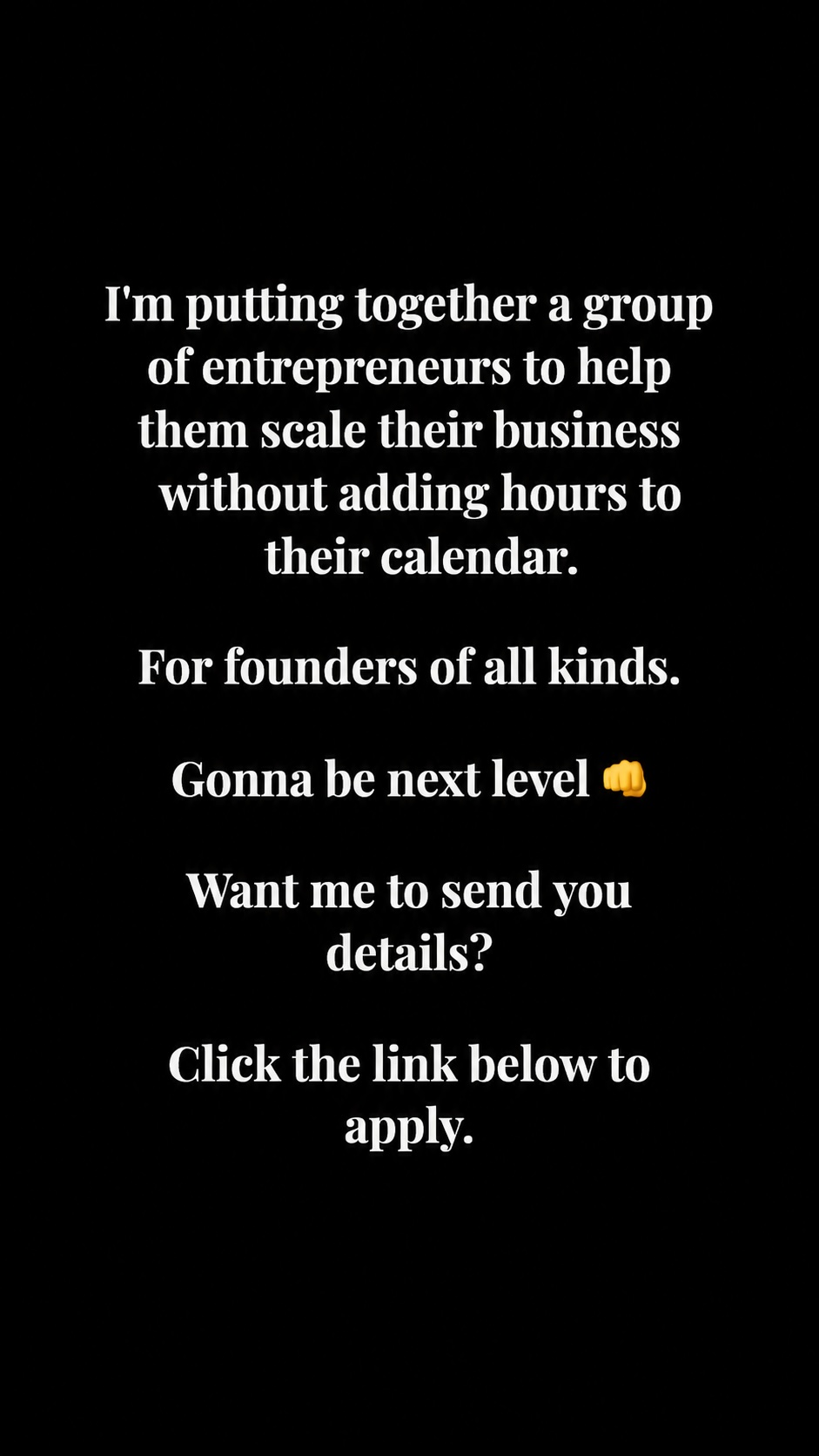
AI Edit Master Prompt
Using the attached image as the layout reference: keep the pure black full-bleed vertical frame with no imagery, and a single column of white bold serif type centred both horizontally and vertically, set in five separate blocks with a full blank line between each — an opening block of four or five lines stating what is being assembled, then a short one-line qualifier block, then a one-line enthusiasm block ending in a single emoji, then a one-line question block, then a closing one-line instruction block. All blocks share the same size, weight and centre axis, with no colour, rules or decoration anywhere. Set the opening block to "{WHAT YOU'RE PUTTING TOGETHER AND THE OUTCOME}", the qualifier to "{WHO IT'S FOR}", the enthusiasm line to "{THE ANTICIPATION LINE}" plus "{ONE EMOJI}", the question to "{THE SOFT ASK}", and the closing line to "{THE ACTION INSTRUCTION}".