
DM Thread
- Format
- Static
- Category
- Native & UI Mimicry
- Stage
- TOF
- Requires
- Prompt only
What is it
An ad disguised as a private conversation — iMessage, WhatsApp, Instagram DMs — where a product recommendation passes between two people instead of from brand to buyer. People read other people's messages instinctively, so the sell lands before anyone decides whether to listen.
What makes it work
The incoming bubble does the heavy lifting
Grey bubble on the left is the problem, the question, the curiosity spike. It has to be a line your audience has actually thought. Get that right and the sell writes itself.
Write it like a person, not a brand
Fragments, lowercase, no punctuation. "wait how" beats "I'm curious how you achieved that result." Brand voice anywhere in the thread collapses the illusion instantly, and it collapses hardest in the incoming bubble.
Deliver the product in the reply, then stop
Name the fix, drop a link preview or a photo, move on. A friend wouldn't write three lines of features. Neither should the ad.
Pick the platform as a targeting decision
iMessage blue reads US, iPhone, casual peer. WhatsApp green reads international, group, family. Instagram DMs read creator-to-follower. Match where your audience actually chats.
Leave it slightly imperfect
A real timestamp, a read receipt, a typo, a delivered marker. A pristine mockup reads as designed, which reads as an ad.
One-on-one or group, deliberately
A single thread is intimate and fast; a group chat manufactures consensus. One-on-one usually wins on raw CTR because there's less to read before the payoff. Group wins when the trend itself is the selling point.
Reference 1
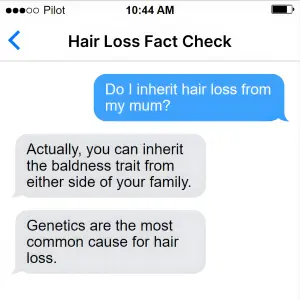
AI Edit Master Prompt
Using the attached image as the layout reference: keep the light iOS chat screen with a status bar, a titled header with a back arrow, one short blue bubble on the right and two longer grey bubbles below it on the left. Set the header to "{THREAD TITLE}", the blue bubble to "{THE QUESTION}", and the grey bubbles to "{THE ANSWER}".Reference 2
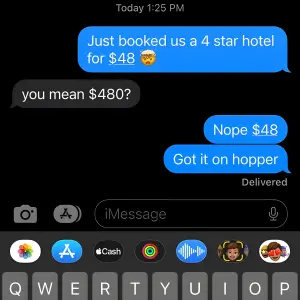
AI Edit Master Prompt
Using the attached image as the layout reference: keep the dark-mode iMessage screen with a timestamp at the top, alternating blue right-hand bubbles and a grey left-hand bubble, a "Delivered" marker, and the keyboard and app row visible at the bottom. Set the bubbles to "{THE BRAG}", "{THE DISBELIEF}", "{THE CONFIRMATION}" and "{THE SOURCE}", underlining the price in the first.Reference 3
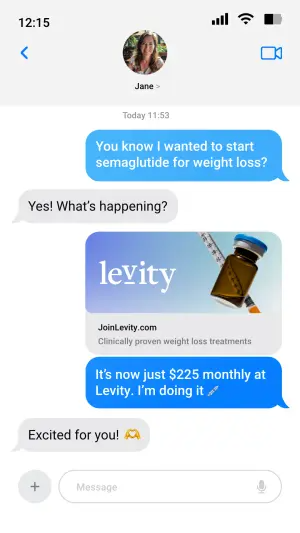
AI Edit Master Prompt
Using the attached image as the layout reference: keep the light iOS chat screen with a contact photo and name in the header, a blue bubble, a grey reply, a link-preview card with an image, title and URL, then a blue bubble beneath it and a final grey reply. Replace the preview image with {YOUR PRODUCT}. Set the bubbles to "{THE SETUP}", "{THE REPLY}", "{THE PRICE LINE}" and "{THE ENCOURAGEMENT}", and the preview to "{YOUR BRAND}" / "{YOUR TAGLINE}".Reference 4

AI Edit Master Prompt
Using the attached image as the layout reference: keep the flat background with a product-in-use photo centred, a headline across the top with one word colour-highlighted, a star rating and review count beneath it, and numerous small blue message bubbles scattered across the whole image at varying angles and sizes. Replace the photo with {YOUR PRODUCT IN USE} and the background with {YOUR BRAND COLOR}. Set the headline to "{THE CLAIM}", the rating line to "{STARS} {REVIEW COUNT}", and the bubbles to "{SHORT REVIEW QUOTES}".Reference 5
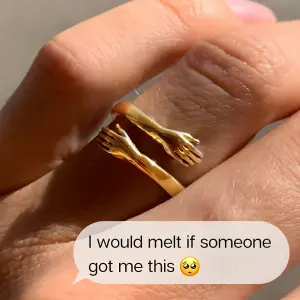
AI Edit Master Prompt
Using the attached image as the layout reference: keep the tight close-up lifestyle photo filling the frame in natural sunlight, with a single grey message bubble floating over the lower third. Replace the photo with {YOUR PRODUCT IN USE} and set the bubble to "{THE HINT}".Reference 6
AI Edit Master Prompt
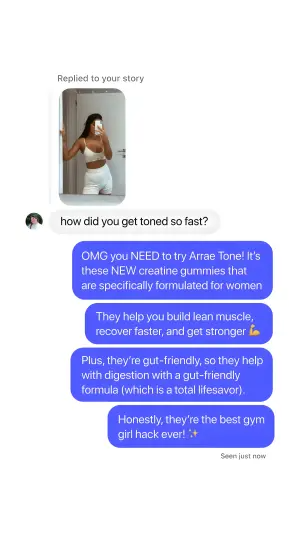
Using the attached image as the layout reference: keep the Instagram DM screen with a small "Replied to your story" label above a story thumbnail, a circular profile photo beside a grey question bubble, then four stacked purple-blue bubbles on the right and a "Seen just now" marker. Replace the thumbnail with {YOUR STORY IMAGE}. Set the grey bubble to "{THE QUESTION}" and the stacked replies to "{THE CREATOR'S ANSWER}".Reference 7
AI Edit Master Prompt
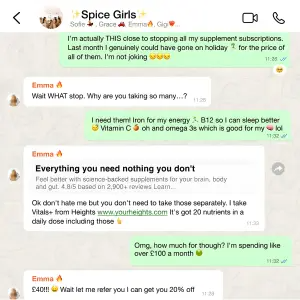
Using the attached image as the layout reference: keep the WhatsApp group screen with the group name and member list in the header, a patterned background, alternating green and white bubbles with sender names and timestamps, and a forwarded link-preview card partway down the thread. Replace the preview with {YOUR PRODUCT}. Set the group name to "{GROUP NAME}", the bubbles to "{THE CONVERSATION}", and the preview to "{YOUR BRAND}" / "{YOUR TAGLINE}".Reference 8
AI Edit Master Prompt
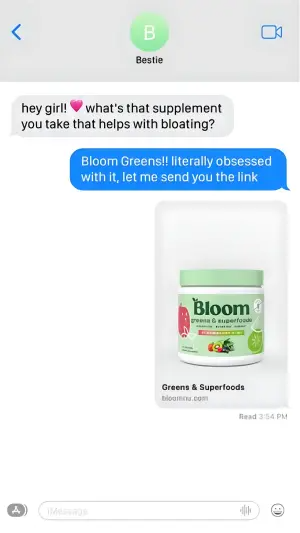
Using the attached image as the layout reference: keep the light iOS chat screen with a circular contact avatar and name in the header, one grey bubble, one blue reply, a large product image card with a title and URL beneath it, a "Read" timestamp, and the keyboard bar at the bottom. Replace the card image with {YOUR PRODUCT}. Set the header to "{CONTACT NAME}", the grey bubble to "{THE QUESTION}", the blue bubble to "{THE RECOMMENDATION}", and the card to "{PRODUCT NAME}" / "{YOUR URL}".Reference 9
AI Edit Master Prompt
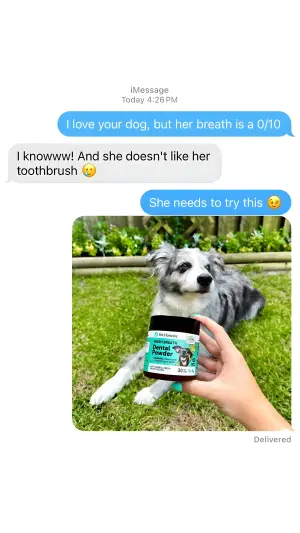
Using the attached image as the layout reference: keep the light iMessage screen with an "iMessage" label and timestamp at the top, a blue bubble, a grey reply, a short blue bubble, then a large photo attachment and a "Delivered" marker. Replace the photo with {YOUR PRODUCT HELD IN A REAL SETTING}. Set the bubbles to "{THE OBSERVATION}", "{THE ADMISSION}" and "{THE RECOMMENDATION}".Reference 10
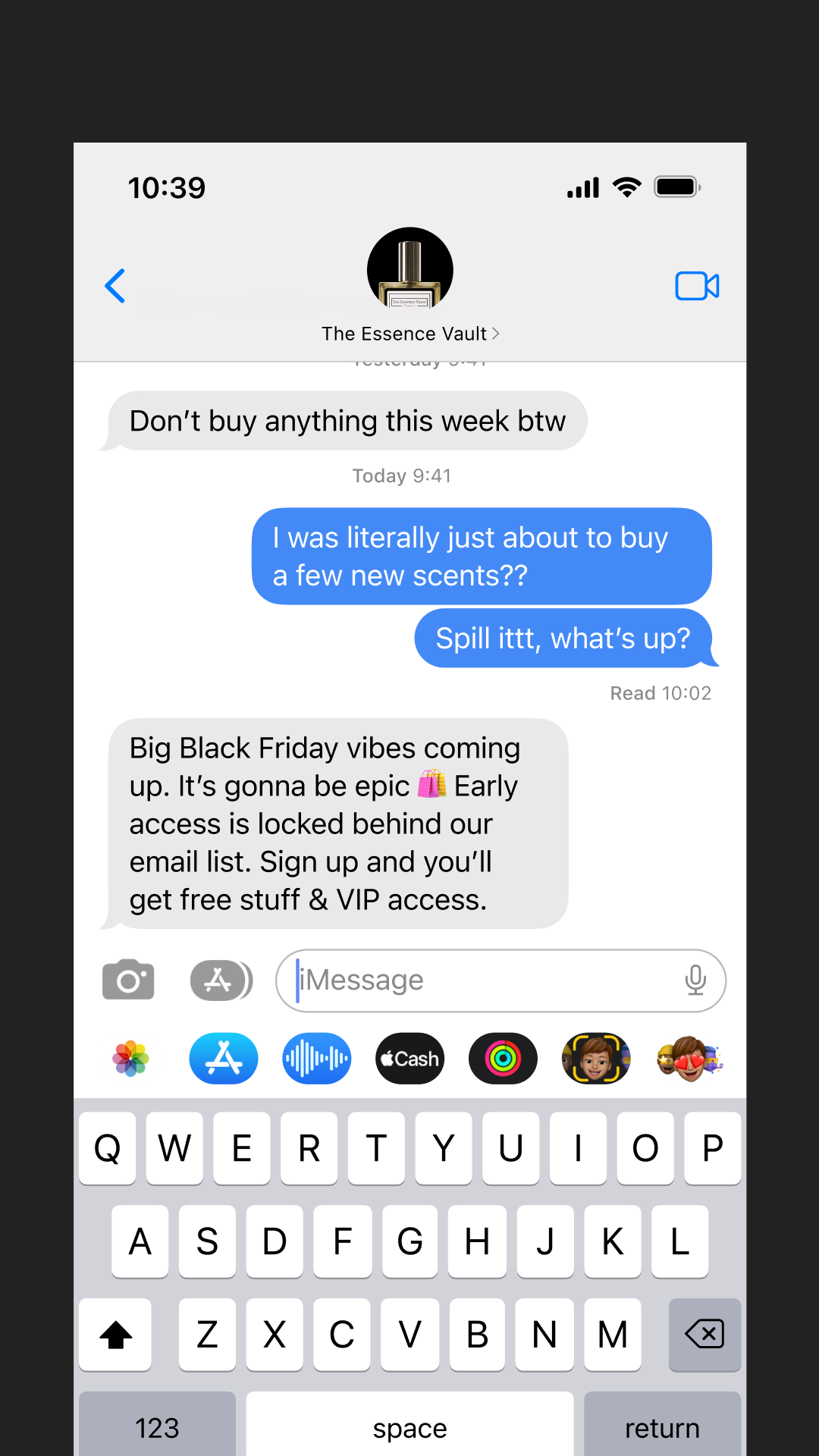
AI Edit Master Prompt
Using the attached image as the layout reference: keep the screenshot of a mobile messaging app centred on a dark backdrop — status bar with time and signal icons at the top, a header with a back chevron, a circular avatar showing the product or brand, the contact name below it and a video-call icon at the right. In the thread keep a grey inbound bubble cut off at the top by the scroll edge, a date divider, two blue outbound bubbles stacked right-aligned, a small read receipt beneath them, then a longer grey inbound bubble carrying the payoff. Below the thread keep the full message input bar with camera and app icons, the placeholder field and microphone, the app drawer row of small circular icons beneath it, and the on-screen keyboard filling the bottom third. Replace the avatar with {YOUR PRODUCT OR LOGO}. Set the contact name to "{YOUR BRAND}", the first grey bubble to "{THE INTRIGUING WARNING}", the two blue bubbles to "{THE CONFUSED REACTION}" and "{THE ASK FOR DETAILS}", and the final grey bubble to "{THE OFFER AND HOW TO GET IT}".