Blurred Bait
- Format
- Static
- Category
- Native & UI Mimicry
- Stage
- TOF
- Requires
- Prompt only
What is it
A static ad that hides the payoff behind a blur, pixelation or a censor bar so the only way to see it is to click. It doesn't sell the product, it sells the reveal. The concealment is the creative, not a side effect of it.
What makes it work
The hiding has to look deliberate
A soft blur reads as a bad upload and gets scrolled. A slashed-eye icon, a "Content Warning" label or a censor bar reads as this was hidden from you. That's the entire difference between a blurry ad and a locked door.
Hide the payoff, not the product
The strongest versions conceal something that belongs to the viewer — the email they wrote, the mistake they made, the result they'd get. Curiosity about your product is weak. Curiosity about themselves is not.
Put a pointer on it
A cursor graphic, an arrow, the word "THIS". People need telling that the ad is tappable even when it obviously is, and the explicit pointer reliably lifts clicks.
Float the button over the blur, centred
Dead centre makes it a barrier you have to go through. At the bottom it's a suggestion.
The reveal has to be worth the tap
The concealed payoff must reward the curiosity the ad creates.
Reference 1
AI Edit Master Prompt
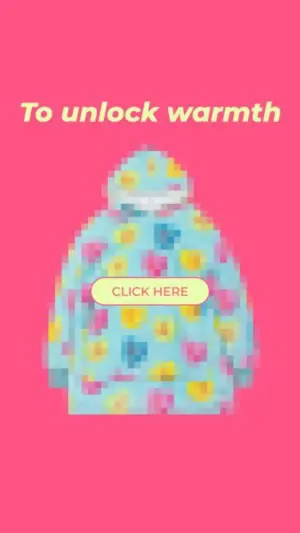
Using the attached image as the layout reference: keep the flat saturated background, the italic headline across the top, the heavily pixelated 8-bit product filling the centre, and the rounded button floating dead centre over the product. Replace the background with {YOUR BRAND COLOR} and the product with {YOUR PRODUCT} pixelated in the same blocky style. Set the headline to "{THE PAYOFF}" and the button to "{BUTTON TEXT}".Reference 2
AI Edit Master Prompt
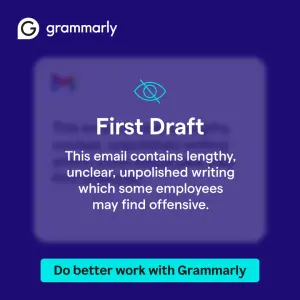
Using the attached image as the layout reference: keep the solid dark background, the wordmark top left, and the translucent frosted panel centred over a heavily blurred interface, with a thin slashed-eye icon above the headline, a paragraph of body text below it, and a full-width bright button at the bottom. Replace the blurred interface with {WHAT'S BEING HIDDEN} and the accent colour with {YOUR BRAND COLOR}. Set the headline to "{LABEL}", the body to "{WHY IT'S HIDDEN}", the button to "{THE FIX}", and the wordmark to "{YOUR BRAND}".Reference 3

AI Edit Master Prompt
Using the attached image as the layout reference: keep the dark background with a faint pattern, the wordmark top right, and the rounded dark translucent panel centred, containing a slashed-eye icon, a two-line headline, a paragraph of proof text, and an outlined pill button. Keep the glowing blurred object behind the panel and the small strip of repeating brand text across the bottom. Replace the blurred object with {YOUR PRODUCT}. Set the headline to "Content Warning: {WHAT'S HIDDEN}", the body to "{THE PROOF}", the button to "{CTA}", and the wordmark to "{YOUR BRAND}".Reference 4
AI Edit Master Prompt
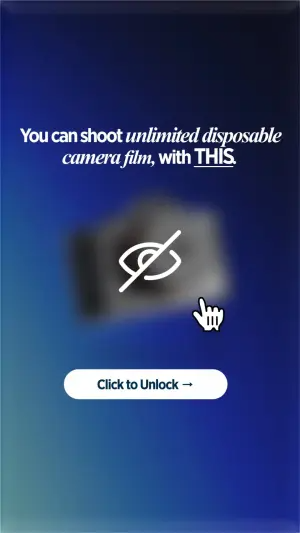
Using the attached image as the layout reference: keep the deep vertical gradient background, the serif headline across the top with one phrase italicised and the final word underlined, the heavily blurred product in the centre with a large white slashed-eye icon over it and a white pixel hand-cursor pointing at the icon, and the white pill button below. Replace the gradient with {YOUR BRAND COLOR} and the blurred product with {YOUR PRODUCT}. Set the headline to "You can {THE DESIRABLE THING}, with THIS." and the button to "{BUTTON TEXT}".